Scan Receipts on iPhone and Find Them Again
A receipt is only worth scanning if you can still find it eleven months later. That is a filing problem, not a camera problem.

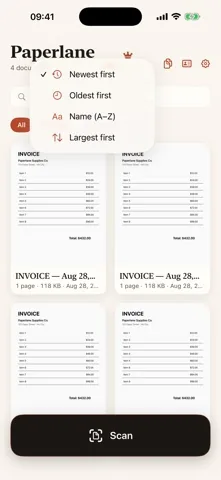
The workflow
- Scan it at the counter, before it goes in a pocket. Thermal paper fades, and a creased receipt is much harder to read than a flat one.
- Switch to B&W if the print is faint. That page mode thresholds the page to hard black and white, which is usually the difference between a legible receipt and a grey smear.
- Let it name itself. On save, the first line that was recognized becomes the document name, followed by the date. On a receipt that first line is almost always the shop.
- Drop it in a folder. One folder per tax year, or one per month if the volume is high. Folders are free and take a few seconds to create.
- Find it later by what is printed on it. Library search reads the recognized text, so the merchant name, an amount or an order number finds the receipt even when you have forgotten what you called it.
- Hand the period over in one file. With Paperlane Pro you can combine a month into a single PDF and compress it before it goes to an accountant by email.
What this is not
Being clear about this saves you a disappointed evening.
- It does not read the total into a field, and it does not add up your month.
- It does not assign expense categories, and it does not know what is deductible.
- It does not export a CSV or a spreadsheet, and it does not connect to a bank feed.
- It does not track mileage, invoices owed, or anything else a bookkeeping product does.
Paperlane is the filing cabinet, not the accountant. If you need automatic amount extraction and categorised totals, use dedicated expense software and let a scanner handle the paper. Plenty of people run exactly that split, because expense apps are good at numbers and rarely good at producing a clean, shareable PDF of the original document.
Why receipts are a privacy case
A pile of receipts is a map of where you were, when, and what you paid with. Many of them carry the last four digits of a card, an address, sometimes a name. This is not the kind of paper anyone should upload to a free service without reading the terms.
Paperlane has no servers. Capture, recognition and PDF creation all happen on the iPhone, and the documents sit in a local library. The optional Face ID lock adds a second gate in front of that library, and Paperlane Pro can put a password on a specific PDF before you send it.
One thing to get right
Local means local. Because nothing is uploaded, a lost iPhone with no backup means a lost library. Make sure the device is included in an iCloud or computer backup, especially if you are scanning a whole tax year into it. This is the honest cost of an app that does not have a cloud.
Get Paperlane
Free on the App Store, iOS 17.0 or later. Rated 5.0 out of 5 from 1 rating.